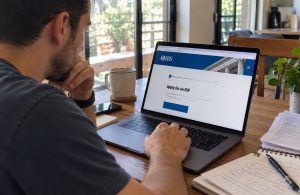
Yes. You can run payroll from your phone with the FRIDAY app on iOS or Android. A mobile pay run has five steps: open the current pay period, review hours and time off, check each person’s pay, then approve and submit. After that, FRIDAY handles tax filing and payments. You can process payroll from anywhere, anytime, in under 60 seconds once hours are approved.
This guide covers what to set up first and the pay-run steps. It also explains when the app beats a laptop, who should approve, and how to stay safe if your phone goes missing.
What you need before you run payroll on your phone
A mobile pay run needs a few things in place first. You need a plan that includes payroll, a verified bank account, and onboarded employees. Their hours also need to sit in timesheets, ready for review before payday. Check this list once, then reuse it.
|
Before your first mobile pay run |
Why it matters |
|
A plan with payroll (Startup is $59 base plus $12 per user per month; Small Biz Pro is $99 base plus $16 per user) |
Just Time is time tracking only and does not include payroll |
|
Business bank account connected and verified |
Each pay run draws from this account, so a problem here stops payday |
|
Each employee set up with pay rate, tax forms, and deposit details |
Missing details stop a paycheck before it goes out |
|
Pay schedule chosen |
Your pay period sets the review and submit deadlines |
|
A stable internet connection |
A dropped signal mid-approval means checking twice |
|
The FRIDAY app on iOS or Android, signed in with your owner login |
Access is only available if your business has a FRIDAY account |
New to payroll? This guide on how to do payroll for small business covers gross pay, deductions, and payroll taxes.
Steps to run payroll from phone with FRIDAY
A pay run in the FRIDAY app follows the same payroll process as the web version. You review hours worked, check each employee’s pay, then approve and submit. Once you submit, FRIDAY takes over the tax filings and payments, so your part ends at approval.
- Open the current pay period. The app lists your pay periods, so select the one that ends before this payday.
- Review and approve hours and time off. Look for missed punches, overtime, and time-off requests still waiting on you.
- Check each person’s pay. Scan gross pay, deductions, and net pay before any money moves.
- Approve and submit the payroll. Confirm the pay date and the total that will leave your bank account.
- Let tax filing and payments follow. FRIDAY handles the automatic tax filings and payments, and employees can view their pay stubs in the app.
Once the hours are clean, the tapping part is quick. The slow part is usually step two, where mistakes hide. I’ve seen more pay errors come from a skipped hours review than from anything typed into a pay screen.
When you need an off-cycle payroll
Sometimes pay can’t wait for the next regular run, like a final check or a missed bonus. Admins can run an off-cycle payroll from the app for these cases.
Treat it like any other pay run. Check the hours or amount, confirm the pay date, then approve and submit.
App or desktop: which should you use?
Use the FRIDAY app for reviews, approvals, and regular pay runs on iOS or Android. App payroll mirrors the web version, so you work from the same numbers on either screen. A desktop still helps with bigger setup work where every field needs a careful look.
|
Task |
Best place to do it |
Why |
|
Approve hours and time off |
FRIDAY app |
Quick checks you can do between jobs |
|
Review and submit a regular pay run |
FRIDAY app |
Same numbers as the web version |
|
Run an off-cycle payroll |
FRIDAY app |
Handy for a missed check or a bonus |
|
Add a new employee |
FRIDAY app or a larger screen |
Use a larger screen if you have many fields to enter |
|
First-time payroll setup |
A larger screen |
Easier to check every field |
Owners and employees use the same FRIDAY mobile app, with payroll tools for owners and pay stubs and clock-in for employees. Still comparing tools? See this roundup of payroll apps for small businesses.
Who should approve payroll on mobile?
Split the work. Let a crew lead or manager approve hours, and keep the final payroll approval with the owner or one trusted person. That way, no single tap moves money unless someone has already checked the hours behind it.
Write down who approves what, and by when. A clear timesheet approval workflow keeps leads on schedule, so the owner isn’t chasing hours the night before payday. Also, pick a backup approver now, before a sick day or a lost phone forces the question.
From clock-in to paycheck: how hours reach your pay run
On FRIDAY, hours flow from the clock to payroll, so nobody retypes timecards. Employees clock in on the mobile app or a tablet kiosk. If someone forgets, an admin can clock them in or out from the live status screen. Every punch then feeds payroll for review.
In this illustrative example, a 22-person landscaping crew works across three job sites, using GPS geofencing for clock-ins at approved locations. Back at the shop, a kiosk with facial recognition time clocks and a PIN stops one worker from clocking in for another. By Tuesday night, the foreman has approved hours. Then the owner submits payroll from a phone on Wednesday morning.
Deadline safety net: approve before the bank cutoff
Your phone lets you approve payroll on the go, but the bank still sets the clock. Standard ACH direct deposit generally needs payroll started two business days before payday. So for a Friday payday, plan to approve by Wednesday.
|
Illustrative Friday payday |
What to do |
|
Monday |
Remind leads to finish timesheet approvals |
|
Tuesday |
Review hours worked and fix missed punches |
|
Wednesday morning |
Check pay details, approve and submit |
|
Thursday |
Spot-check that the pay run shows as submitted |
|
Friday |
Employees see their paycheck and pay stub |
Running late? Admins can fund payroll by wire in the app to speed up processing, and Small Biz Pro adds next-day payroll, subject to bank approval. For the full picture, read how direct deposit timing works. My advice is to treat Wednesday as your real deadline, because a bank holiday can shift the schedule.
How to keep mobile payroll secure
Payroll on a phone can be safe when you lock down the device, and your provider protects the data. FRIDAY encrypts all data in transit with TLS 1.2 and at rest with AES-256. The app also uses a two-factor confirmation by text when you sign in.
Beyond that, FRIDAY’s policy prioritizes passkeys and multifactor authentication and applies least privilege to all access. Your device is the other half, so use a strong screen lock and keep the app updated. When you can wait, skip approving payroll on public Wi-Fi. Read the full FRIDAY security policy for details.
What to do if your phone is lost
Lock or erase the phone first through its built-in find-my-device service. Then change your FRIDAY password from another device and contact FRIDAY support. Tell them the lost phone receives your sign-in texts.
Next, check the last pay run and your bank account for anything you did not approve. If you are the only approver, a lost phone can stall payday. That is why I tell owners to name a backup approver before they need one.
How FRIDAY puts payroll in your pocket
FRIDAY ties clock-in, approvals, and the pay run together in one app, so you can process payroll anywhere, anytime, in under 60 seconds. Your crew clocks in on phones or the kiosk, and leads approve hours. You review, approve, and submit, then tax filing and payments follow.
Want payroll off the desk? FRIDAY offers a 14-day free trial with no contract and no setup or cancellation fees. Migration from your current provider is free.
FAQs
Can I run payroll from my phone?
Yes, if your payroll provider’s app includes owner pay-run features. In the FRIDAY app on iOS or Android, owners can review hours, check pay, then approve and process payroll. You need a plan that includes payroll, such as Startup or Small Biz Pro.
Is it safe to approve payroll from my phone?
It can be safe when your phone has a strong lock, and your provider encrypts your data. FRIDAY encrypts data in transit with TLS 1.2 and at rest with AES-256, and the app uses a two-factor confirmation by text at sign-in. Avoid approving payroll on public Wi-Fi.
Is payroll in the FRIDAY app the same as on the web?
Yes. Payroll in the FRIDAY app mirrors the web version, so you approve the same hours and pay figures on either screen. The app suits routine pay runs, while a desktop makes bigger setup work easier to check.
How long does a mobile pay run take?
With FRIDAY, processing payroll takes under 60 seconds once timesheets are approved. Messy hours are what slow most pay runs down. The bank cutoff, not the app, decides how early you start.
What happens if I lose my phone?
Lock or erase the device with your phone’s find-my-device service right away. Then change your FRIDAY password from another device and contact FRIDAY support. Review recent pay runs and your bank account for anything you did not approve.
Disclaimer: This article is for general informational purposes only and does not constitute legal, tax, or financial advice. Consult a licensed professional for guidance specific to your situation. Product features and plan details were checked on October 28, 2026.

Pincus Schiff is a payroll software specialist at Friday App, where he helps businesses simplify payroll, stay compliant, and automate their workflows. He writes about payroll best practices, compliance, and the latest in workforce technology.